UK: +44 (0)161 927 3222 US: +1 (214) 774 2802

Intranet Discussion Forums

The cornerstone to collaboration within your intranet

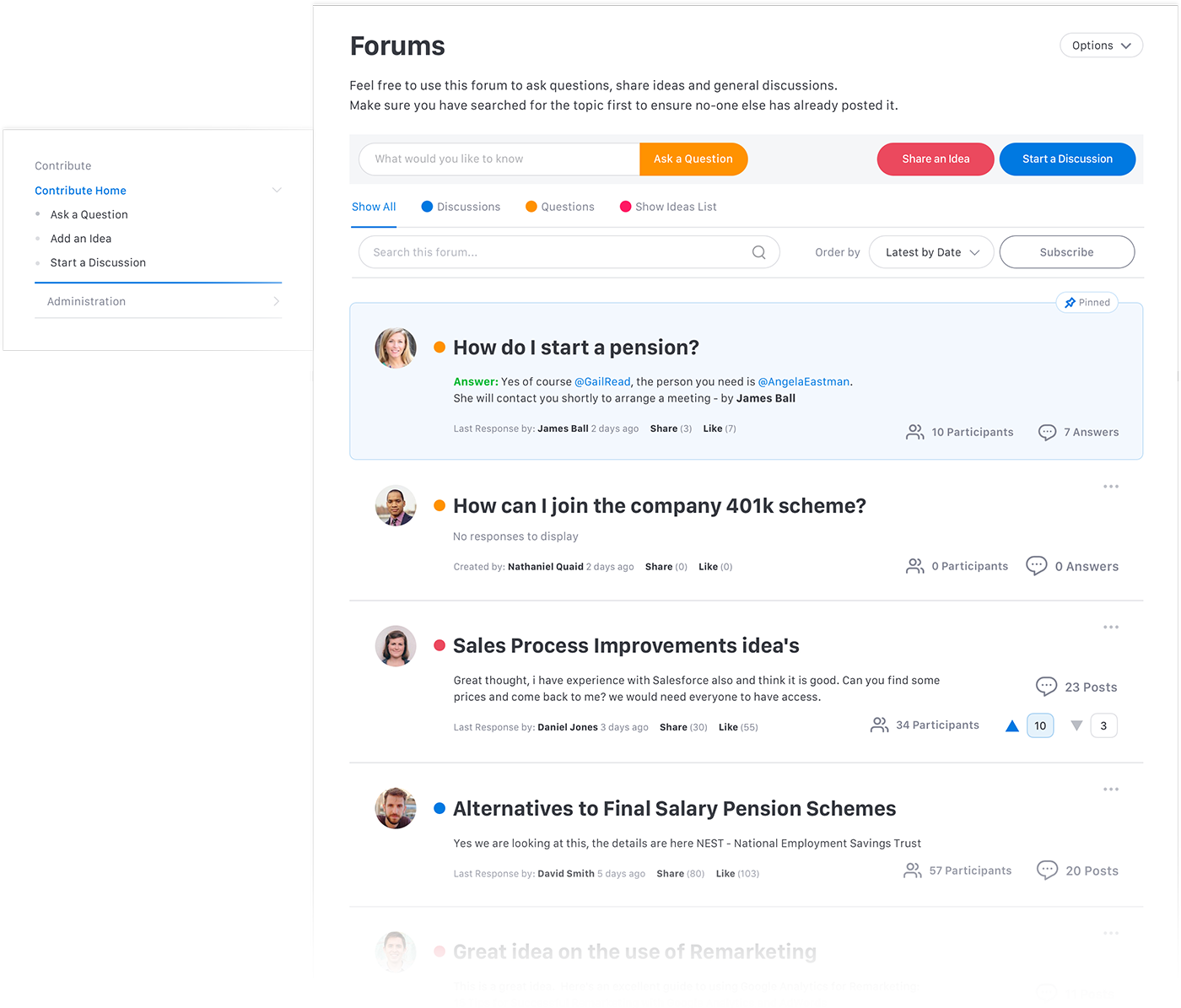
Discussion Forums make it simple for employees to communicate, share ideas and collaborate throughout your business. They are the cornerstone of collaboration within corporate intranets where employees can post questions or comments and hold discussions with their fellow employees. Often referred to as bulletin boards, discussion groups, forums or collaboration areas, their underlying purpose is to increase knowledge sharing across the business.

The Discussion Forums within Interact Intranet strengthen the knowledge sharing goal in two ways:

  1. Increasing adoption – making it easier for ground-level users to use discussion forums and simplify their creation and moderation
  2. Improving the relevance and quality of employee created content within discussion forums

The Discussion Forums in Interact Intranet have a simplified interface and intuitive features to make it easier for people to communicate, share ideas and collaborate throughout your business.

Intranet Discussion ForumBenefits of the Discussion Forums in Interact Intranet:

  • By scanning the keywords in your discussion forums Interact Intranet intelligently suggests existing forums that may be similar to the one you are adding, preventing duplication of content
  • Intelligent thread creation – Interact Intranet’s auto suggest feature prevents duplicating threads or creating them in the wrong discussion forums. This ensures that new threads meet the purpose of the forum and topics are channelled.
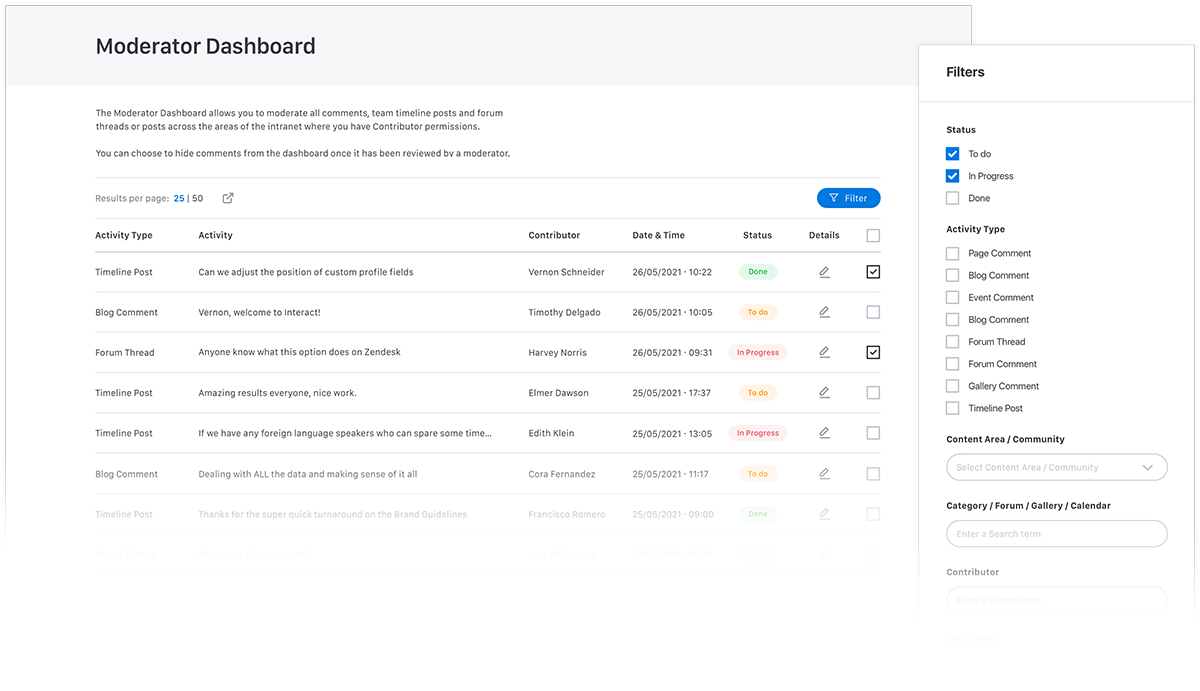
  • Each forum can have multiple moderators, reducing the burden of responsibility on the owner
  • Advanced moderator notification settings can be tailored for individual discussion forums so moderators can be alerted when a new discussion thread is created or even for each new post added
  • Attachments – upload multiple files to discussion threads and posts
  • Users have the ability to opt-in to receiving alert notifications when a new post is made, ensuring you never miss a response to your forum
  • @tag your fellow employees within posts – if your discussion forum relates to one of your co-workers simply @tag them so they will be notified of the update
  • Choose whether to write a ‘quick reply’ which is a free text field or a full reply that uses the WYSIWYG editor and allows attachments and @ Tagging documents
  • ‘Share’ and ‘Like’ threads and posts

Watch our short video to see Interact Discussion Forums in action: